
Upload a clear photo or scan
Use dark ink on white or light paper. Crop away unrelated handwriting before uploading when possible.
Turn a scanned signature or phone photo on light paper into a clean transparent PNG. The image stays in your browser and updates automatically as you adjust the cleanup.
Your unmodified source image appears here.
The processed transparent PNG appears here.
Increase the value to remove paper shadows; reduce it if thin ink strokes disappear.
Use dark ink on white or light paper. Crop away unrelated handwriting before uploading when possible.
The tool estimates the paper color from the image border. Move the slider until paper shadows disappear without erasing fine strokes.
Inspect the result over Transparent and White backgrounds, then download the auto-cropped PNG for documents or email.
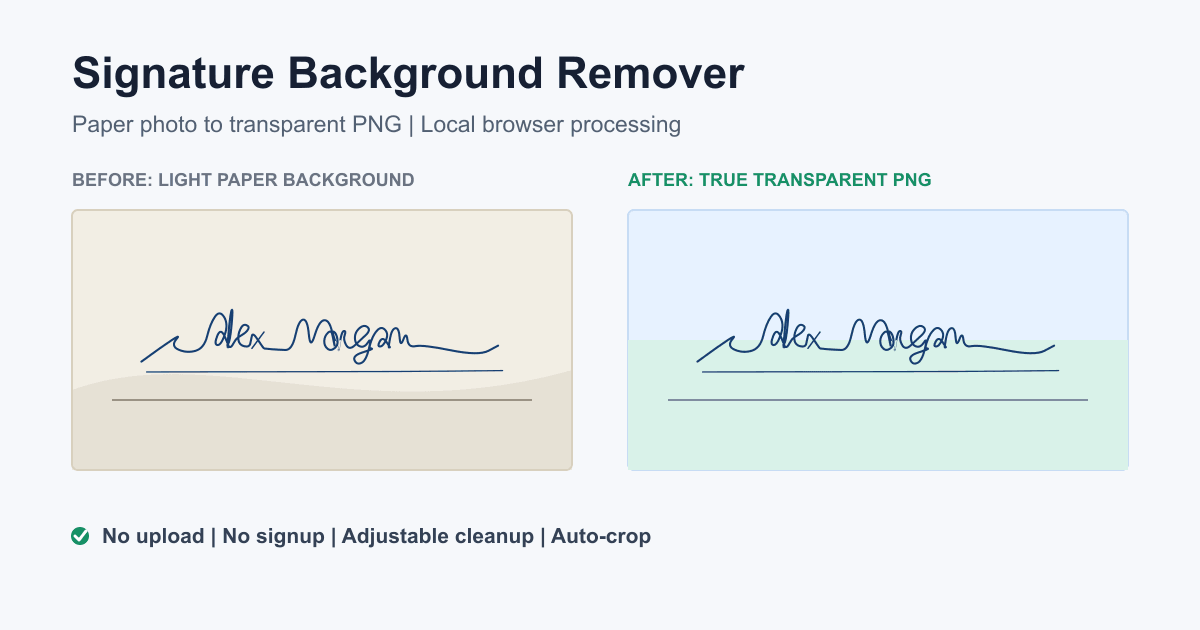
This tool is designed for signatures photographed or scanned on a mostly uniform light background. It samples border pixels to estimate the paper color, compares each pixel with that color, and applies a soft transparency transition around the ink edge. Edge decontamination reduces pale paper halos around compressed JPG strokes.
It is not a general portrait or object background remover and it does not use a remote AI model. Uneven shadows, lined paper, stamps, or text touching the signature may need a cleaner source image.
Private by design: the file is decoded with browser image and Canvas APIs. No image body is submitted to the Worker, an analytics endpoint, or a third-party background removal service.
Insert the downloaded file into a PDF form, Microsoft Word document, Google Docs file, presentation, invoice, or email footer. PNG preserves transparency and is more widely accepted by document editors than SVG.
For placement instructions, follow the detailed guide for adding a signature image to PDF, Word, and Google Docs. To create a new signature instead of cleaning an existing one, draw your signature online or open the AI signature generator.
The downloaded PNG is a reusable graphic. Background removal does not verify the signer, prove consent, timestamp the image, lock a document, or create an audit trail. Use the signing method required by the document owner whenever authentication or legal evidence matters.